SwiftUI is Horrible on macOS
This is a response to the Swift Blog Carnival, and specifically to Quibbletown.
I will get straight to the point. Here are some things that I discovered that just don't work.
.sheetis STILL not animatable (a feature since the first OSX release)- Windows are animatable with great effort, but even on modern M chips, the animation lags like hell. Another feature that's been with us since the first OSX release
- Window animations are not synced with the animations inside the window, so you get this weird flowy animation where the window animates just slightly faster than its contents, and the content flies all over the place. At that point, it's better to just disable the animations completely
- Even content animations are broken. Most of them only animate one way. This animation is defined exactly the same way for both opening and closing, but only the closing is actually animated
- Windows are animatable with great effort, but even on modern M chips, the animation lags like hell. Another feature that's been with us since the first OSX release
- For toolbar items,
.defaultCustomizationand.toolbarItemHiddenjust straight-up don't work at all. I asked about this on StackOverflow well over a year ago, and still nothing - Toolbar item placement is completely broken. Have a few
.primaryActionbuttons that you want to keep together, and a.secondarybutton for a secondary action? Good luck, the moment you put in a single.secondarybutton, all buttons, even the.primaryActionones, get put into the.secondaryposition. Formwith the.groupedstyle has a fixed max width. Apple thinks this looks good:
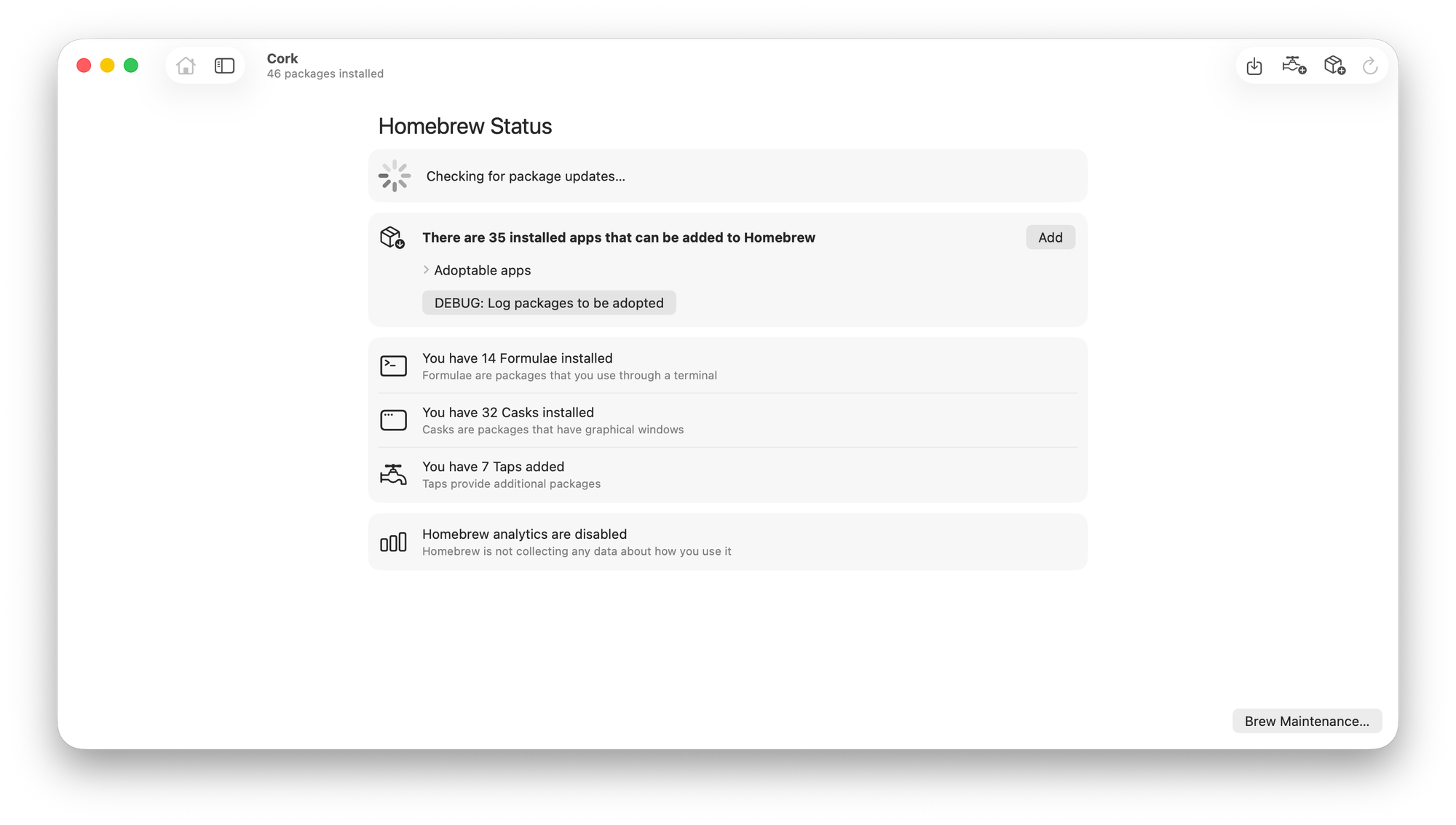
- As an aside, the only way to get this ✨beautiful✨ new standard layout is to use either a
Formor aList. This is neither a form, nor a list .searchableis a complete mess that shouldn't be a thing at all- Has only two actually usable positions: on top of the sidebar, and on the right side of the window toolbar
- Can't place it in an arbitrary location, so I have to use my own NSViewRepresentable to bridge a NSSearchField. A search field is one of the most basic UI components!
- Tokens are so broken that they're practically unusable. A bug that causes them to not appear at all has been on the Cork issue tracker since October 2023. Caused by Apple.
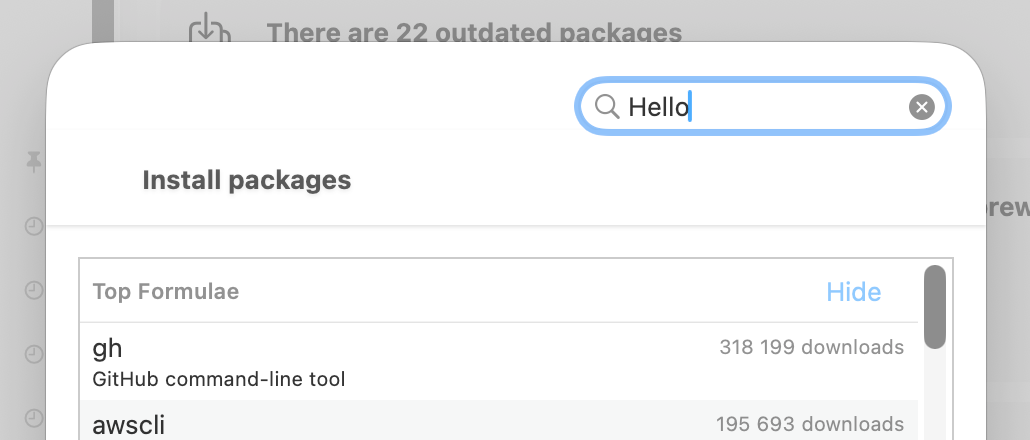
- Want to put a
.searchablefield in a sheet? How about fuck no, it will break the layout completely:
- Back to
.sheet- The button positions make no sense, and they are not documented:
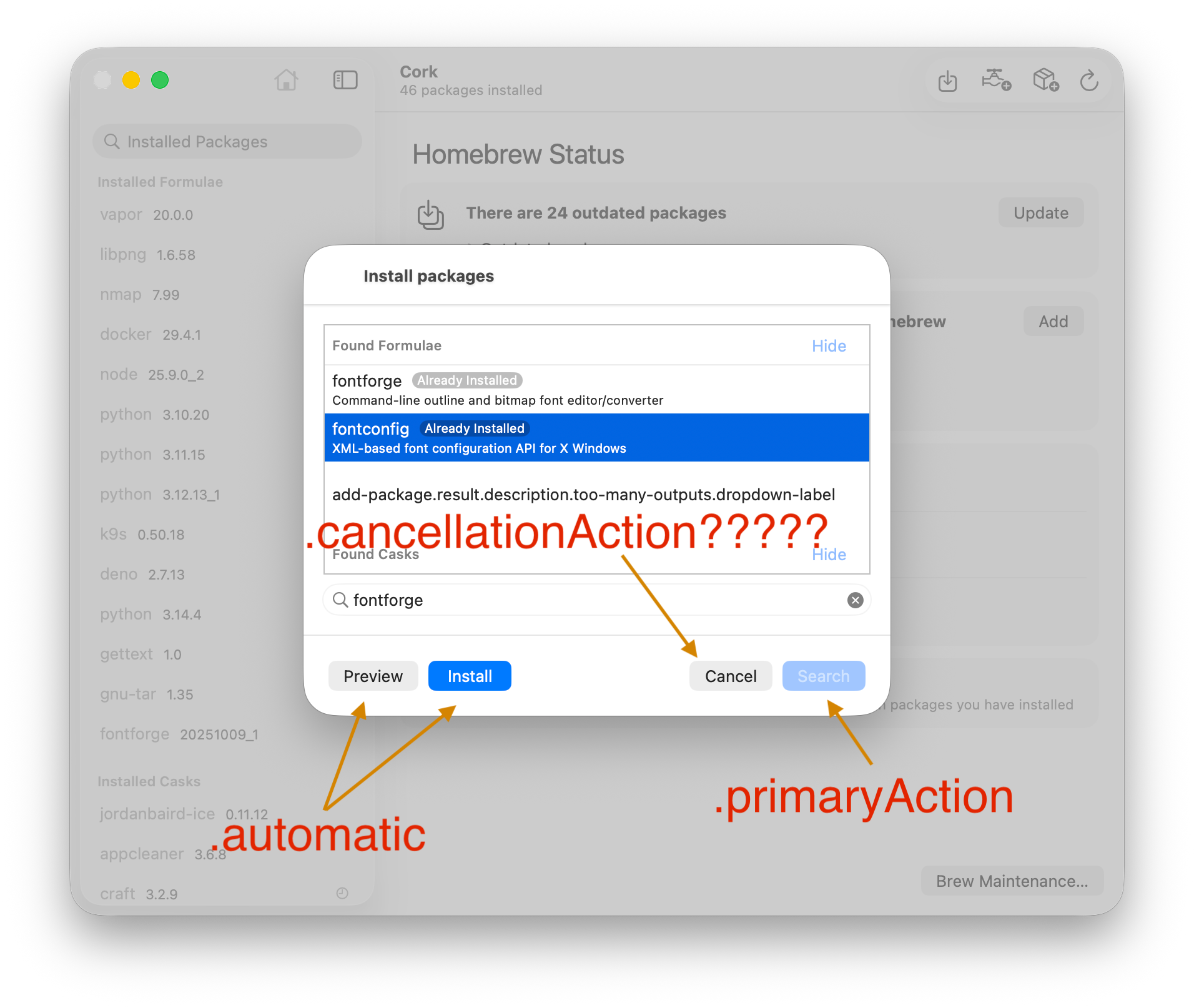
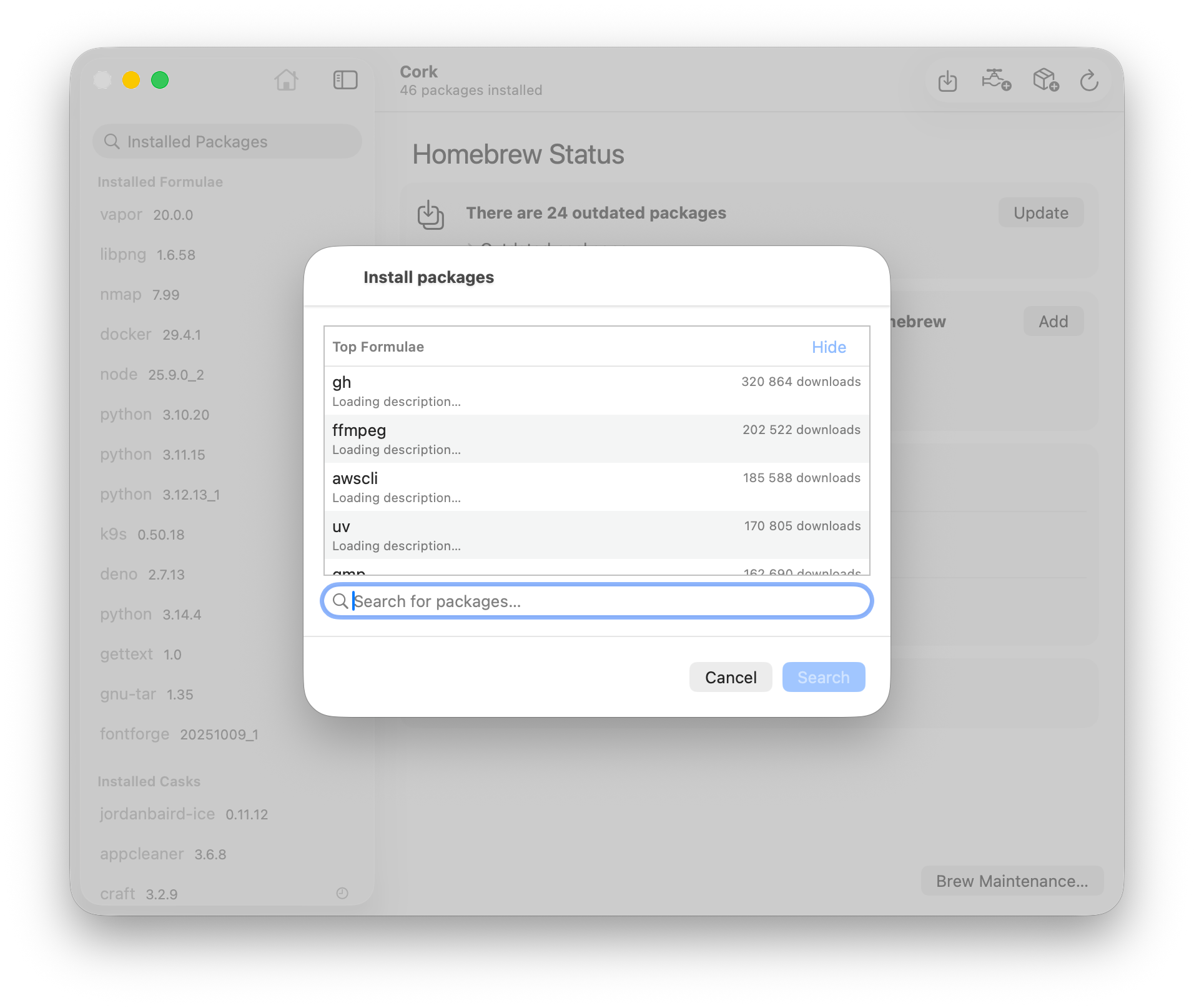
- As a bonus, the moment you switch those
PreviewandInstallbuttons to.secondaryAction, they just up and completely disappear:
- The
.navigationTitlein the sheet is completely misaligned, and looks horrible with the huge corner radius .navigationSubtitlein a sheet:

- By default,
DisclosureGroupcan be expanded by clicking on the>. But the moment you do your ownDisclosureGroupStylewith all padding removed, the wholeDisclosureGroupstarts responding to clicks, including the title - Literally everything about
.frame. It makes absolutely zero sense and breaks every layout I try to use it for. To illustrate, these two sheets have the exact same.framedefined. The first one correctly hugs the contents, while the second one doesn't:
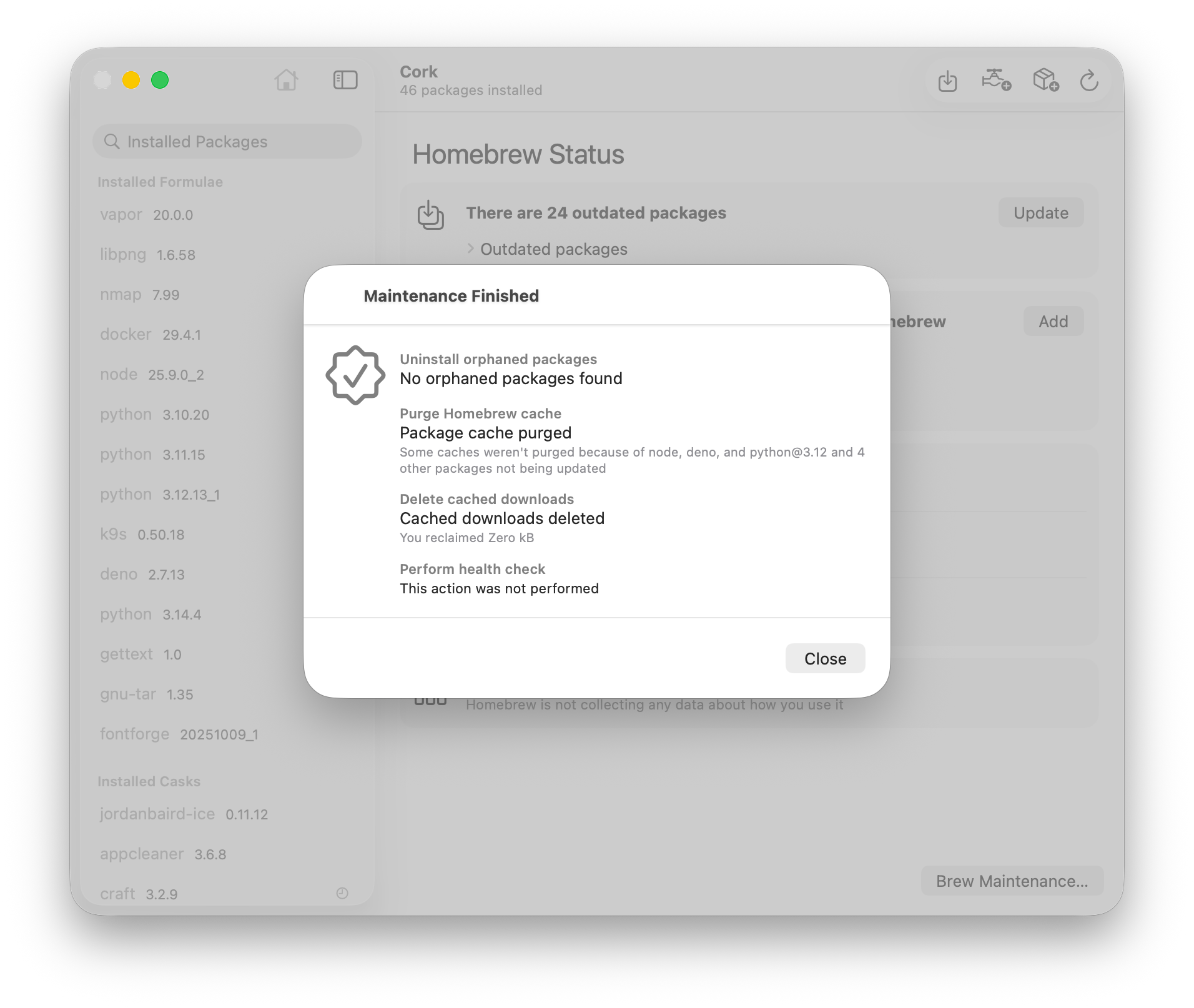
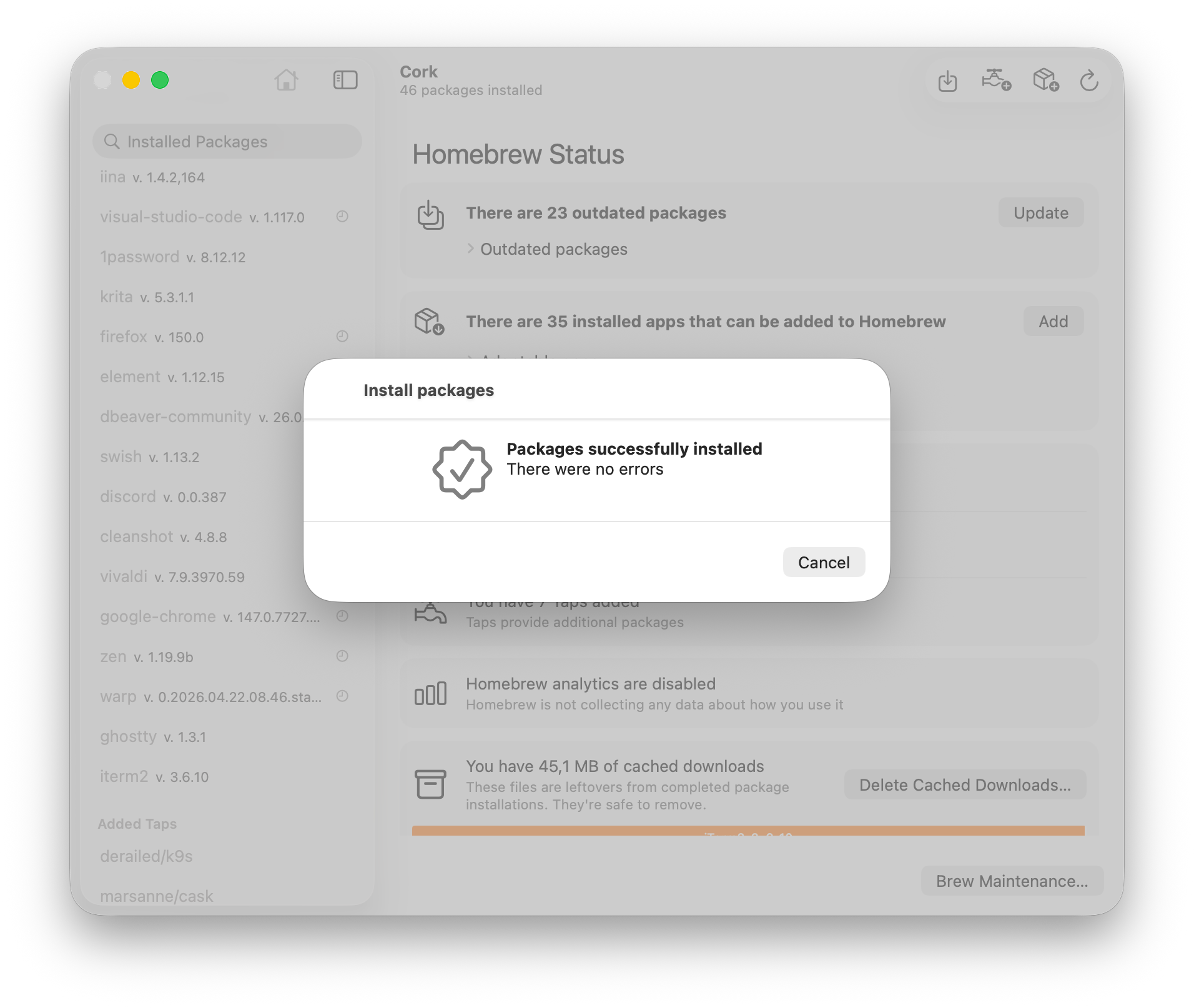
- Due to a conflict between
List's aggressive view destruction on scroll, and the way.taskworks, the millisecond a view that calls an API to load and parse a short string disappears, that already parsed string gets de-assigned. Once that particular list item appears again, it has to perform the extremely expensive API call and parsing again. Instead of just saving a 10-character string to memory.- This leads to funny bugs, such as scrolling too fast through a list that's made up of only text making the whole Mac freeze up and crash
This is just a short list of the stuff I could immediately recall. I will keep it updated as I remember more things.
Comments ()